MSSQL Lab Setup
Welcome to the Databases bootcamp. This bootcamp is meant to provide you with first hand experience in why Nutanix is an ideal platform for Database workloads.
Historically, it has been a challenge to virtualize SQL Server because of the high cost of traditional virtualization stacks and the impact that a SAN-based architecture can have on performance. Businesses and their IT departments have constantly fought to balance cost, operational simplicity, and consistent predictable performance.
The Nutanix Enterprise Cloud removes many of these challenges and makes virtualizing a business-critical application such as SQL Server much easier. The Acropolis Distributed Storage Fabric (DSF) is a software-defined solution that provides all the features one typically expects in an enterprise SAN, without a SAN’s physical limitations and bottlenecks. SQL Server particularly benefits from the following DSF features:
Localized I/O and the use of flash for index and key database files to lower operation latency.
A highly distributed approach that can handle both random and sequential workloads.
The ability to add new nodes and scale the infrastructure without system downtime or performance impact.
Nutanix data protection and disaster recovery workflows that simplify backup operations and business continuity processes.
In addition to solving common infrastructure problems for hosting business critical applications, Nutanix also seeks to address many of the key pain points associated with managing databases.
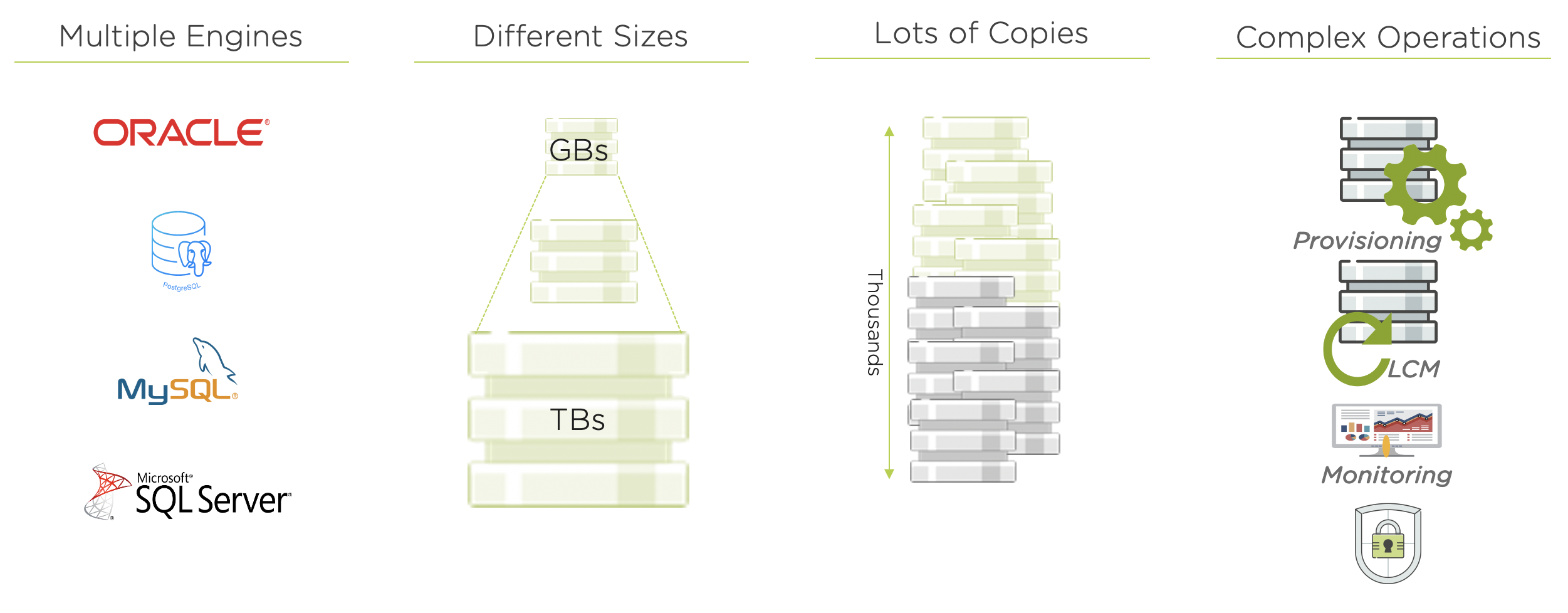
Based on a 2018 IDC study of 500 North American companies with more than 1,000 employees, they estimate:
77% of the organizations have more than 200 database instances in their production
82% have more than 10 copies of each DB
45%-60% the total storage capacity is dedicated to accommodating copy data
32% of database clones require daily refreshes for analytics of dev/test
Copy data will cost IT organizations $55.63 billion in 2020
Maintaining the status quo leads to inefficient usage of both storage and worse, of administrator time. Meet Nutanix Era.
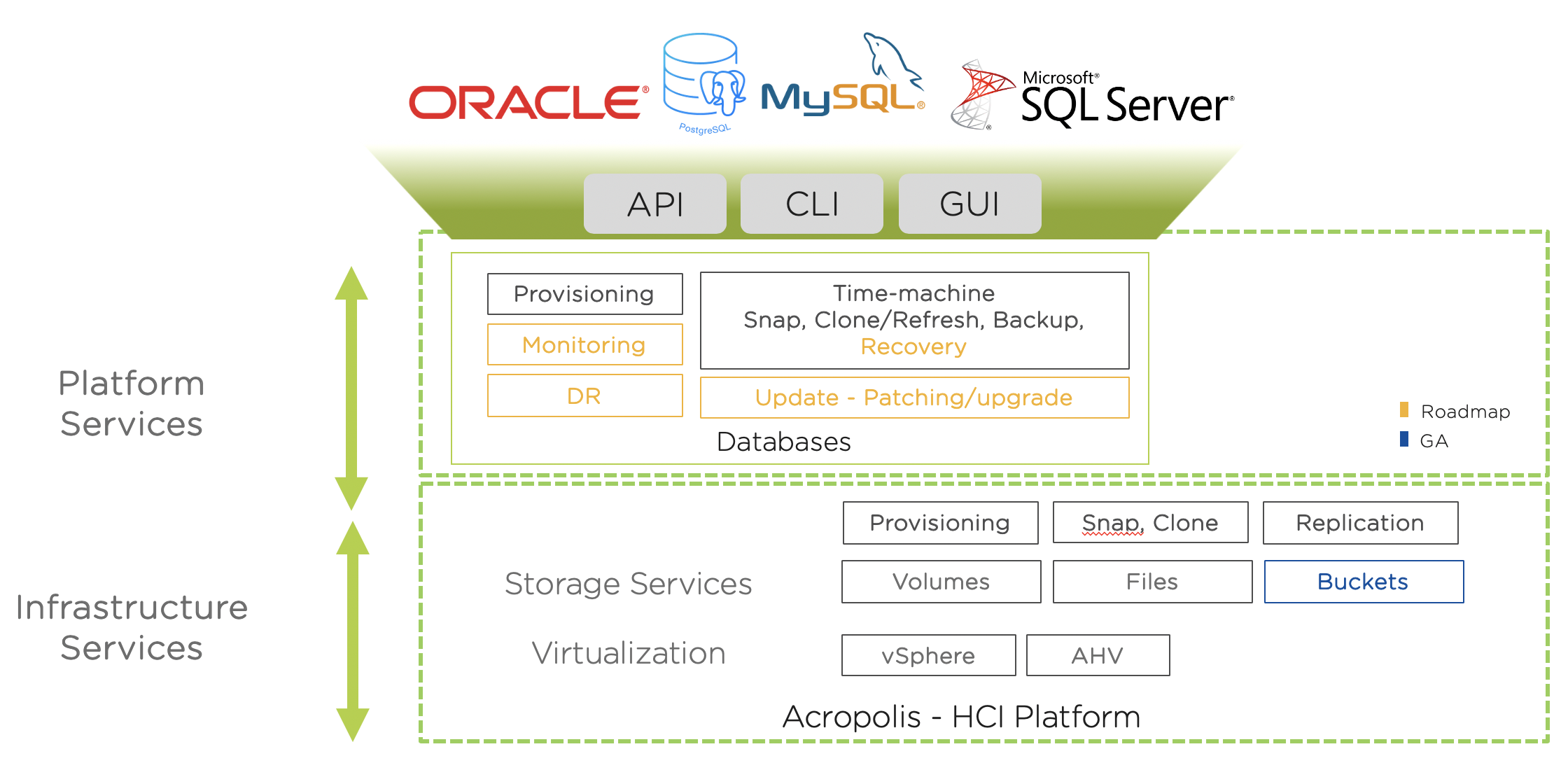
Nutanix Era provides DBaaS for your Enterprise Cloud. Leveraging the Nutanix Enterprise Cloud OS, we are able to take advantage of the power of full stack - data, compute, and software. Nutanix Era hides the complexity of database operations and provides common APIs, CLI, and consumer-grade GUI experience for multiple database engines. It makes database operations such as cloning efficient, thereby driving down the TCO of database management for our customers.
Configuring a Project
In this lab you will leverage multiple pre-built Calm Blueprints to provision your applications…
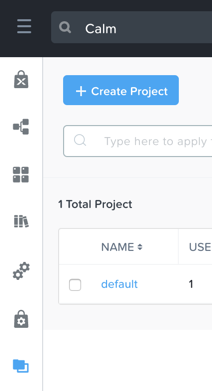
In Prism Central, select > Services > Calm.
Select Projects from the lefthand menu and click + Create Project.
Fill out the following fields:
Project Name - Initials-Project
- Under Users, Groups, and Roles, select + User
Name - Administrators
Role - Project Admin
Action - Save
Under Infrastructure, select Select Provider > Nutanix
Click Select Clusters & Subnets
Select Your Assigned Cluster
Under Subnets, select Primary, Secondary, and click Confirm
Mark Primary as the default network by clicking the
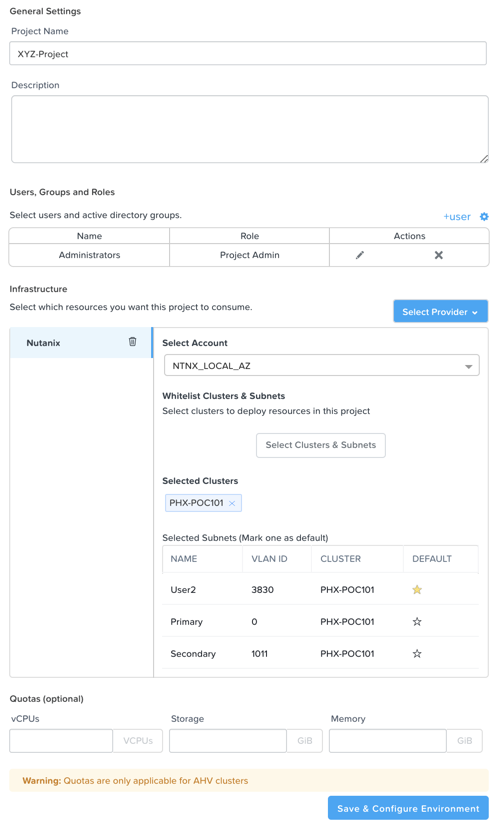
Click Save & Configure Environment.