API: List of Clusters
Overview
In this exercise you will list the clusters connected to Prism Central. Later exercises will require the cluster uuid in the JSON body.
Note
Estimated time to complete: 5 MINUTES
Exercise: List the clusters
Click + in the main window to create a new tab-window
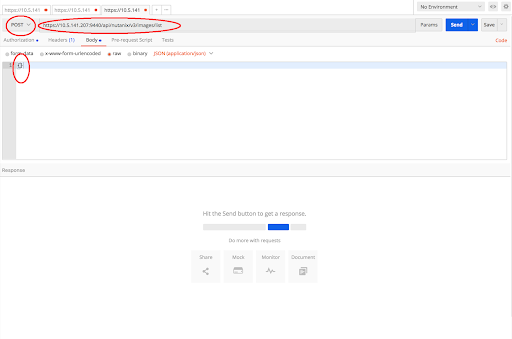
Click the dropdown and select POST
v3 standardizes on POST for listing to offer server-side filtering, grouping, and sorting
Enter the URL to list clusters
https://{{prism_central_ip}}:9440/api/nutanix/v3/clusters/list
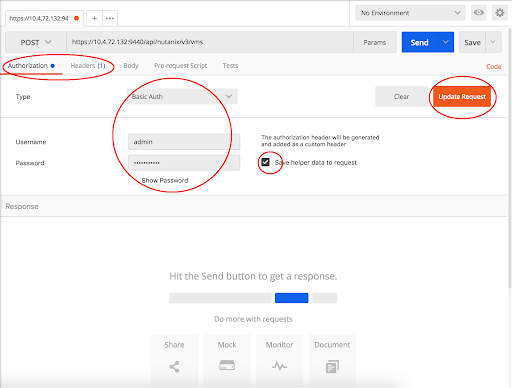
Configure basic authentication for this API call
Click the Authorization tab and select Basic Auth from the Type dropdown
- Enter Prism credentials of the cluster, and click Update Request:
Username - admin
Password - Use the “Prism login password” from handout
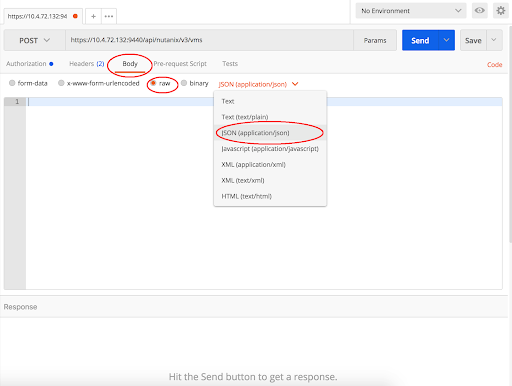
Set the media type to application/json
Click the Body tab
Select the radio button for raw
Click the Text dropdown and select JSON (application/json)
Fill out the body
Click the Body tab
Copy or type an empty dictionary in the json body as seen below
{}
Click Send to submit the v3 API call
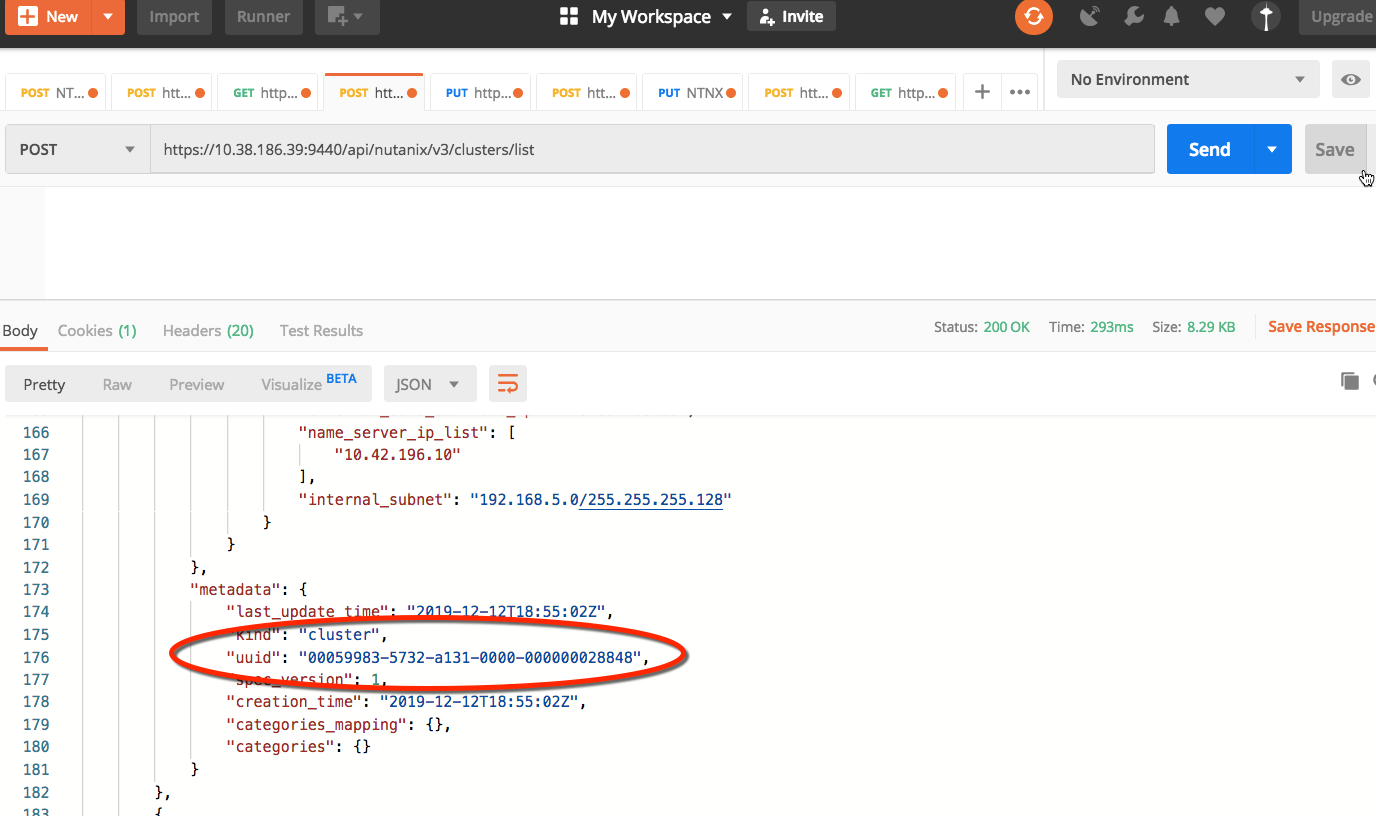
The intent response provides an array of cluster resources
Take note of the cluster UUID under the metadata
Takeaways
In this exercise you peformed a simple cluster list API call. You will need a cluster UUID for all v3 API fucntions. You also configured your cluster authentication which will be the same in the remaing exercises/